Successful Smart Business Co.
"We don't fight against your reality.
We use it."

Most planning systems fail because they're built for someone else's life. The Reverse Calendar© is built around yours — the one you're actually living.

Your Download

Find out where
your time actually goes.

Not where you think it goes. Not where it should go. Where it actually goes — the invisible work, the energy drains, the things that never show up on a plan but consume your week anyway. One template. One honest week. Real clarity.

Also on your phone Get it on Google Play

Fillable HTML template — use it in your browser, on any device
Print-ready PDF — for those who think better with a pen in hand
Weekly reflection prompts — so you can see your patterns, not just your hours
Please fill in all fields with a valid email address.
Tell me about the app →

No spam. No sequences. Just the template and occasional insights from Successful Smart Business Co..

You're all set.

Check your inbox — your template is on its way.
While you wait, download directly below.

Work Edition  ·  Available on Google Play

Prefer it on your phone?
See where your week actually went.

Plan your blocks, log what really happened, and watch the gap show up on its own. The Reverse Calendar© as an app, for people who sell their time.

Get it on Google Play

Calendar sync is an optional unlock.

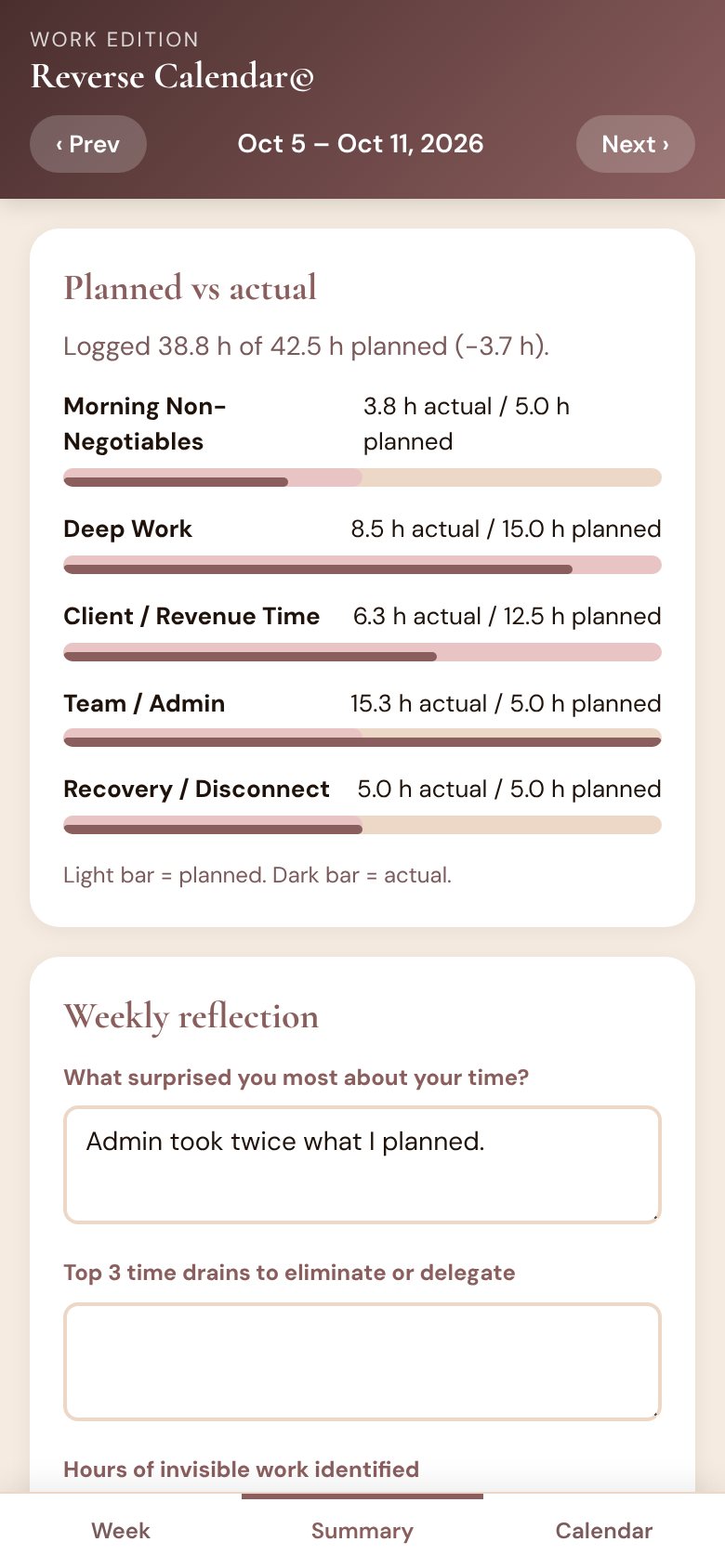
Planned versus actual hours for the week, with Team and Admin running well over plan

Ever finish a full day and not be able to say what you did? This is for the person who is the whole team.

CoachesConsultantsFreelancersPractitionersOwner-operators

One honest week is really all it asks

Plan the day, then log the one you had

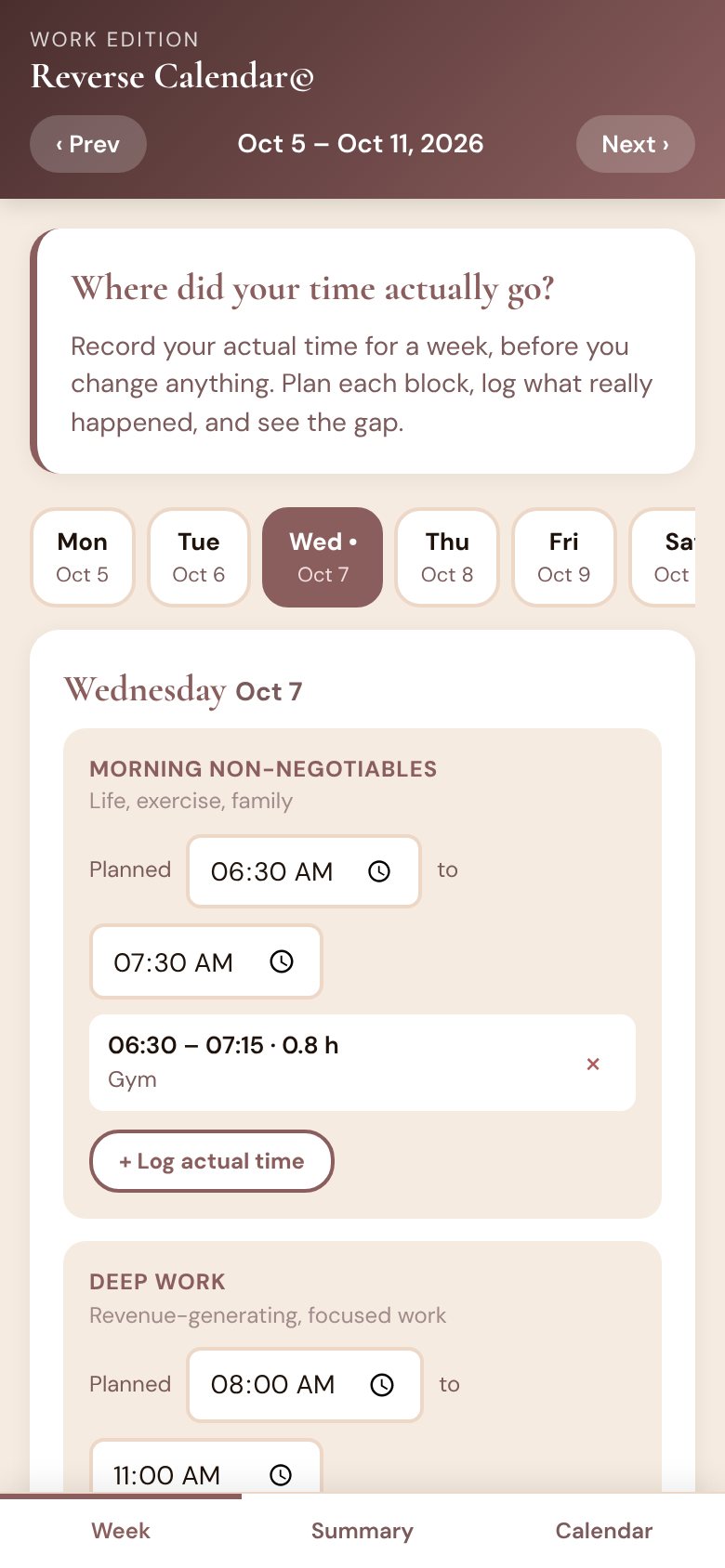
Five simple blocks: morning non-negotiables, deep work, client time, admin, and recovery. Set the time you meant to give each one, then add what actually happened as the day goes.

No timers to remember to start. Just a quick note when you have a minute.

A day split into five blocks, each with planned time and logged entries

Let it land on your phone calendar

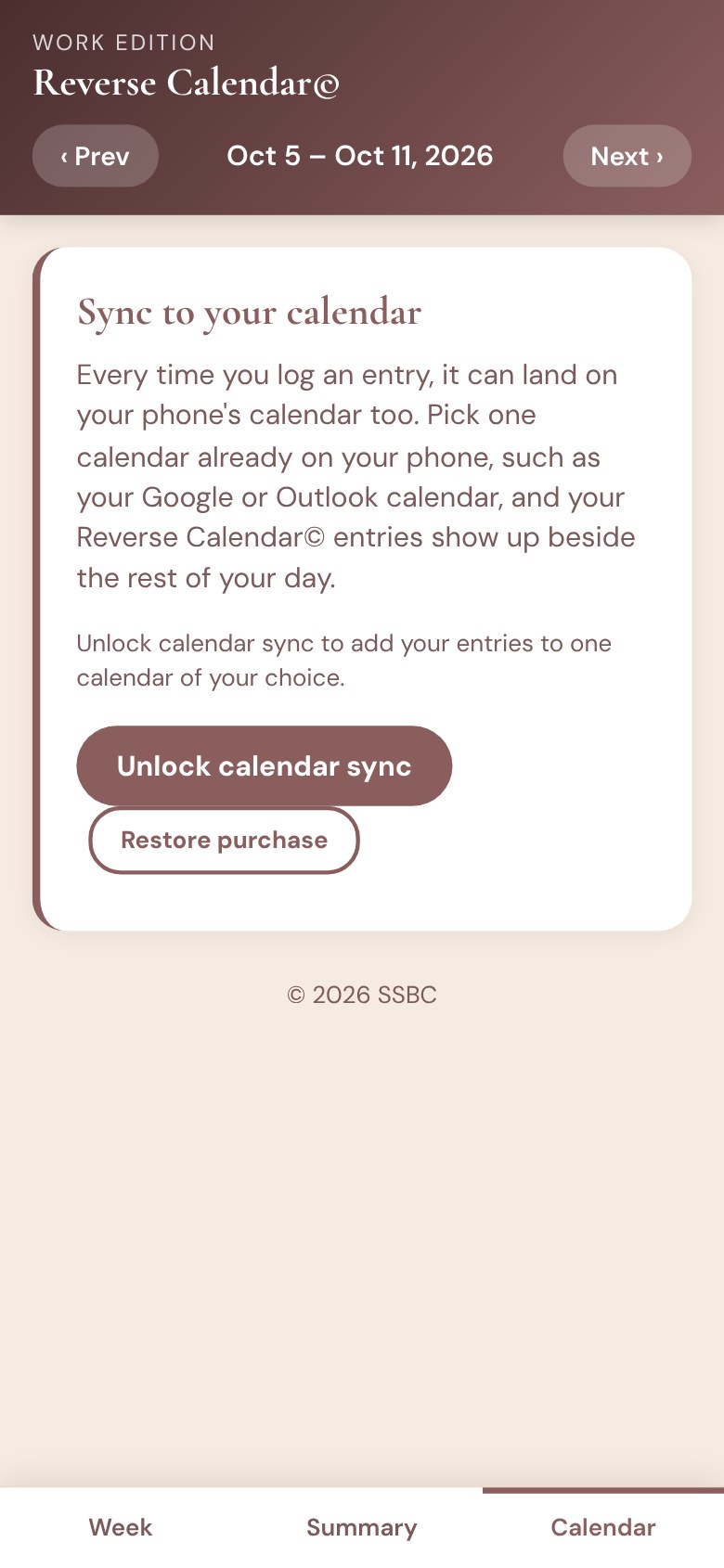
Unlock sync and pick one calendar already on your phone, like your Google or Outlook calendar. Your logged entries show up beside the rest of your day, without duplicates.

The planning, logging, weekly summary and reflection are all included in the app.

The Calendar tab with the unlock for calendar sync

Everything you need, plus one optional unlock

The app

Download and use

  • Plan and log your week
  • Planned vs actual summary
  • Daily and weekly reflections
  • Export to CSV, or print

Calendar sync

Optional unlock

  • Everything in the app
  • Sync entries to one phone calendar
  • Add new entries automatically

Google Play shows the price in your local currency.

What people ask first

Which calendars does it work with?

Any calendar account your phone already syncs, such as Google or Outlook. You choose one, and your entries go there.

Where does my information go?

Nowhere. Your entries stay on your phone. There is no account, no ads, and no tracking. The calendar permission is only used for the optional sync. The full details are in the privacy policy.

How does the unlock work?

Calendar sync is an optional unlock you add through Google Play. Everything else in the app works without it.

What if I get a new phone?

Because your entries live on your phone, export a CSV before you switch. Your unlock comes back on the new phone with Restore purchase, using the same Google account.

What is the difference between the app and the template?

Same method. The template is a fillable page you use in your browser or print, with no app. The app keeps your weeks on your phone, adds the planned-versus-actual summary, and can put your entries on your phone calendar. Get the template.

Start with one week

Log it as it happens. At the end, you will know exactly where your time went and what to change first.

Get it on Google Play

Rather start on paper or in your browser? Get the template.

Reverse Calendar© is a method by Successful Smart Business Co. (Katindi Communications Inc.)
Privacy  ·  Google Play and the Google Play logo are trademarks of Google LLC.
Built by SmartSystems© 2026